Mobile applications Published on by Chloé Chassany
5 steps to think through before building a mobile app
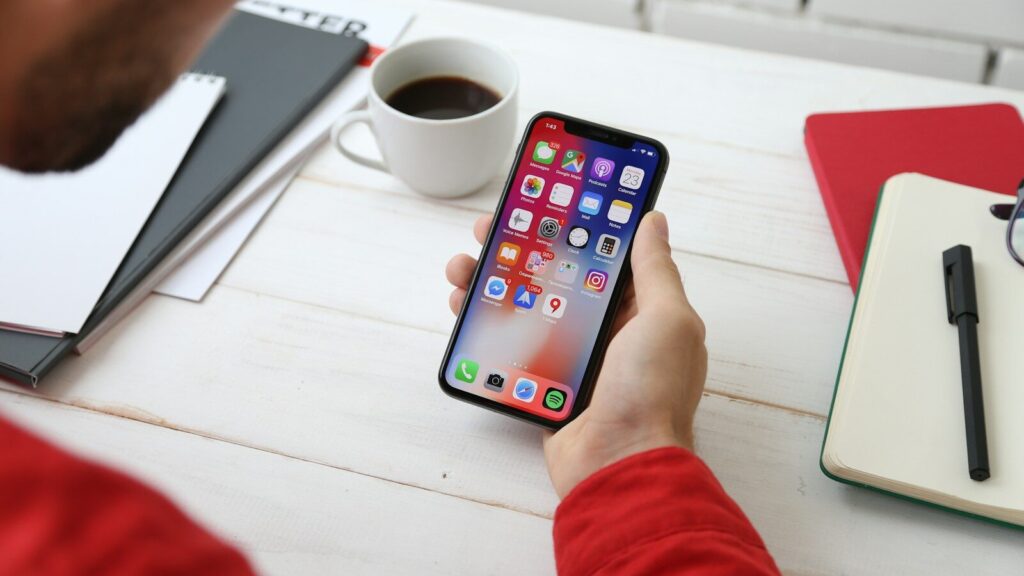
Ideas for mobile apps come and go, and you too want to create your own: a to-do list app, one for managing your time, another for tracking your fitness progress… In the end, you’ve jotted down loads of ideas but you don’t really know where to start, so you haven’t developed any of them.
What questions should you ask yourself before creating an app? Can you build it on your own?
Before rushing headlong into development, here are the 5 steps you need to go through to turn your idea into a solid, lasting project.
The content at a glance
A quick summary for those in a hurry
Before diving into the development of your application, take the time to answer these 5 questions:
- The need: what concrete problem does your app solve, and is it already validated (new concept) or does it extend an existing activity?
- The target audience: who will use it, in what context, and how often? Lean on your existing clients or go and gather information directly from your target audience.
- The purpose: internal use, general public or commercial, each comes with its own design and usability constraints. Also consider splitting your launch into several versions rather than developing everything at once.
- The technical choices: iOS, Android, native or hybrid, the right choice depends on your budget, your timeline and your long-term needs.
- The specifications: put it all down in writing to get an accurate estimate and avoid unpleasant surprises.
Not enough time to write it all yourself? Download our free project specification template or book an appointment so we can build it together.
1. Define the need and purpose of the application
Even before deciding to create an application, even before looking for ideas in your notebook, you need to ask yourself the right questions:
- What concrete problem does this application solve?
- Does this problem really exist, or is it a solution looking for a problem?
- What would happen to your future users if the app didn’t exist?
- Is an app really necessary, or would an existing website or feature suffice (in which case it would be more a matter of developing a web application)?
- What should this app actually let people do, concretely, once launched?
Ce sont toutes des questions que vous devez vous poser dès le début de votre idéation.
The case of a “stand-alone” application
Your idea for an app came to you during a casual conversation, but you don’t have the background or context to know if there’s a need for it. No problem! On the contrary, you might be on the cusp of something truly innovative. You can certainly build it from scratch, but you’ll need to make sure you define it clearly from the start—otherwise, you might lose your way along the way.
In that case, take the time to test your idea before you start developing it: talk about it with people around you—especially those who fit your target audience—and see if the need you’ve identified really resonates with them. A good idea on paper is worthless if no one has any use for it once the app is launched.
An example of an app that adds value to your business
Your business is already well-established, and you want to offer your customers a little something extra to enhance their experience. That’s when you come up with the idea of creating a mobile app.
Here, the logic is different: you’re not starting from scratch; you’re building on an existing business. The question to ask isn’t “Does this need exist?” but “What does the app offer that goes beyond what I already provide?” Simpler customer management, a service available round the clock, and easier customer retention. The risk here is the opposite of the first scenario: creating an app on a whim, simply because ‘it looks good’, without it serving any practical purpose for your customers. This is what we strive to avoid at O’Matic: creating an app just for the sake of having one serves no purpose, and in fact, it can actually do you a disservice!
The early stages of the specifications
Without a concept, there are no specifications; and without specifications, there is often no implementation either.
At O’Matic, we recommend drawing up a set of specifications before each project. This allows us to set out the idea and its objectives in black and white, providing an initial basis for discussion to ensure that it is feasible.
If your foundations are sound, this can only lead to a sound and sustainable project!
2. Identify your target audience and their usage
Now that you’ve defined your idea and established that it’s viable, it’s time to move on to the million-dollar question: will your target audience be the right one, will they be receptive to and make use of this new product, and how will they use it?
It is not enough simply to know ‘who’ your app is aimed at; you also need to understand how it fits into their daily lives: in what context it will be used (at work, whilst travelling, at home), how often, and with what level of technological proficiency. An app designed for quick, everyday use does not have the same requirements as one used once a month for a specific task.
This is where a consulting can help you gain a clearer understanding and, above all, answer the questions you haven’t yet found the answers to.
With an existing target
If you already have customers, draw on them, ask them questions, and observe how they interact with your current services… After all this observation, make a note of what they like and what frustrates them; you’ll already have a good foundation for your experience.
To help you, here are a few avenues you could explore: your existing data (customer feedback, reviews, website usage statistics if available…), conduct a survey, or simply organise informal interviews with people who know you well.
The aim is not to carry out a comprehensive market research study, but to check that your intuition is well-founded before investing in development.
Conducting user testing during the development phase will then help ensure you’re heading in the right direction.
The case of a target to be built
You’re brand new to the market, but you’re absolutely certain your idea will work, so you don’t yet have a user base to draw on.
In that case, you’ll need to go and find the information yourself: talk to people who fit your imagined target audience, engage with people on social media to refine your target audience, and test your idea before you even think about development.
Be careful, however, not to limit yourself to your immediate circle, family, friends and colleagues, who tend to be supportive rather than objective. Instead, look for people who are actually experiencing the problem you want to solve, either through social media or by approaching them directly if your target audience is local. A simple prototype, even just a few mock-ups, is often enough to get useful feedback before you launch.
If you’re looking to gather feedback on social media, make sure you’ve got a clear idea of what you’re doing (part 1) so that you (and others) don’t get lost along the way; otherwise, you’ll find yourself back at square one.
3. Clarify the purpose: internal use, general public, commercial?
You’re probably thinking that your app should be used by as many people as possible, but is that really what you’re after?
More people = more work = more resources to put in place
Make sure you take your target audience and their habits into account. You do not speak to a young audience in the same way as you would to an older one, and certainly not in the same way as you would to a professional audience. An app designed for internal use does not have the same requirements as one aimed at the general public: internally, you can afford to have a more information-dense interface, as your users are familiar with the tool, whereas for the general public, every screen must be understood within a few seconds. A commercial app adds yet another constraint: it must be as persuasive as it is functional; the customer journey and the trust inspired by the design are therefore just as important as the features themselves.
Our work on the Body Analyser clearly illustrates why this distinction matters: we have developed an iPad app intended for professional use in fitness centres, designed to be as intuitive as possible whilst requiring a minimum of hardware. Discussions soon turned to a mobile version, this time aimed at the general public, so that customers could access their measurements and stay in touch with a centre. Two audiences, two purposes, two interface approaches.
Rather than trying to develop everything at once, it is often wiser to break your app down into versions. An initial version, focused on the core functionality, allows you to get it into the hands of your users quickly and gather their feedback before investing further. Secondary features (notifications, statistics, customisation) can be added later, once the core functionality has been validated. This approach minimises risks, as you avoid spending months developing an app that nobody ends up using as intended.
4. Make the first technical choices (iOS, Android, native or hybrid)
Once you have decided on the purpose of your app, a very practical question arises: on which platform(s) will you be available?
iOS and Android are used in different ways and have different audiences. Does your target audience tend to use one or the other, or both in equal measure? The answer depends on who you’re targeting: internal use, the general public, or business users ; each has their own habits.
The next decision is whether to go for a native or hybrid app. A native app is developed specifically for each operating system (Swift for iOS, Kotlin for Android); it offers the best performance and full access to the phone’s features, but requires the development (and maintenance) of two separate versions. A hybrid app, on the other hand, is based on a single codebase deployed across both platforms, which reduces costs and development times, though this may sometimes involve some compromises in terms of smoothness or access to certain native features.
- Our Transpomatic app is a good example of a technical choice that evolves over time. The app was originally developed using React Native (Expo), a hybrid technology that was handy for getting it to market quickly. With hindsight and as requirements have evolved, we are currently rewriting it entirely in Kotlin Multiplatform (KMP), an approach that allows us to share a common codebase between iOS and Android whilst keeping the visual layer specific to each platform (Swift for iOS, Kotlin for Android).
The aim is to improve stability and, above all, to be able to utilise the native components specific to each OS, such as the Liquid Glass design introduced by Apple on iOS a year ago. - The technical choice may also be guided by significant constraints specific to your project. For Les Frères Brigands, we opted for React Native (via Expo), for reasons of speed of deployment and budget.
So there’s no such thing as a right or wrong choice: it all depends on your budget, your timeframe and the features you need initially – but, above all, in the long term. That’s why we recommend drawing up a comprehensive set of specifications: to give you the clearest possible picture of what to expect.
5. Write a precise project specification (cahier des charges)
The final step before you get started, and undoubtedly the most crucial one : is to set out your project in writing in a set of specifications.
This document does not need to be perfect or comprehensive from the outset, but it must set out the broad outlines of your project: the purpose and target audience identified above, the essential features versus those that can wait until Version 2, your budget, your deadlines, and any technical constraints already known (target platforms, necessary integrations, etc.).
The clearer this document is, the easier it will be to obtain an accurate quote, and the more you will avoid any unpleasant surprises along the way.
Not sure where to start? We’ve put together a free template for specifications, available to download, designed to help you organise your idea before your first meeting.
Once we have this document, it forms the basis of our initial discussion: we use it to understand your project, ask the right questions and provide you with a quote that truly reflects your needs, rather than a rough estimate. And if you’d prefer us to draw it up together rather than filling it in on your own, we can also discuss it directly.
Conclusion
Thinking things through before creating an app doesn’t slow your project down; on the contrary, it gives you the means to see it through to a successful conclusion. An idea that never becomes an app isn’t a bad idea; it’s often an idea that hasn’t been properly defined.
These five steps (defining your requirements, identifying your target audience, clarifying your objectives, making initial technical decisions and drawing up a specification) enable you to approach your first meeting with a clear vision and to allocate your budget where it really matters.
