UX/UI Published on by Chloé Chassany
Why work on the accessibility of your website or app?
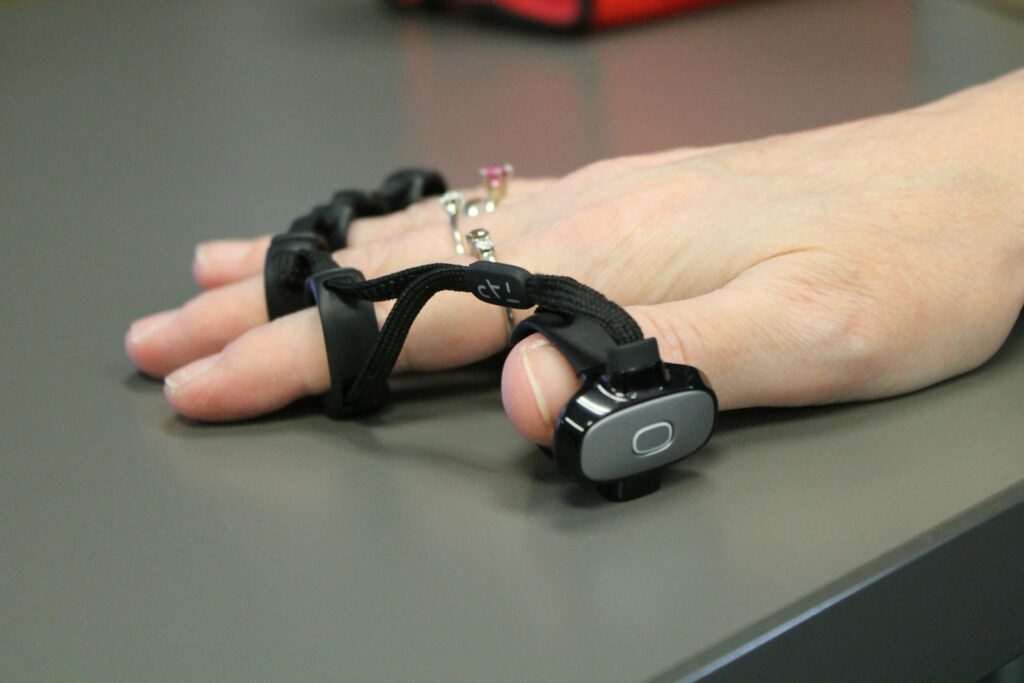
Today, we live in a world where digital technology plays an increasingly important role in our lives. Whether it’s administrative procedures, leisure activities or accessing information, it’s not uncommon to be directed towards digital solutions to speed up the process and achieve our goals. For most people, this is easy, but for some individuals with disabilities, the experience can be difficult, even impossible in some cases.
C’est pourquoi chaque site et chaque application doivent s’intéresser de près à l’accessibilité afin de permettre à tous de le visiter et/ou de l’utiliser.
Accessibility is not limited to making information available only to people with disabilities; it also aims to make it accessible to everyone, regardless of their abilities or circumstances. By designing your application with accessibility in mind, you are prioritising simplicity and perception, avoiding the exclusion of people with disabilities or those who use their devices differently.
What accessibility issues need to be addressed?
Source: Apple and accessibility
Working hard to make its operating systems as accessible as possible, Apple distinguishes between five categories of accessibility:
- Speech: If you have a speech impairment or prefer non-verbal communication […]
- Vision: If you are blind, have impaired vision, or simply prefer larger text […]
- Hearing: […] to improve the sounds you hear and help you stay connected if you cannot hear.
- Mobility: […] to create customised gestures or control your devices in the way that suits you best.
- Cognition: If you need help staying focused or simplifying tasks […]
Admittedly, these are only examples, but they provide a basis on which to work:
- Speech: Are there any features on your website or application that necessarily require speech? Are there any alternatives?
- Vision: Do the texts and images convey the right message? Is there a description for screen readers? Is the text large enough and does it have sufficient contrast?
- Hearing: Does your website or application require sound to function? Is there an alternative?
- Mobility: Is there only one way to perform an action?
- Cognition: Can your website or app be simplified even further?
That’s all well and good, but how can you implement it?
Use the standards and guidelines
WCAG
The WCAG (Web Content Accessibility Guidelines) were created by the W3C, the World Wide Web Consortium, and dictate the rules to be followed on the web, regardless of the developer or website, with the aim of standardising the internet and enabling everyone to access the web.
RGAA
The RGAA (General Accessibility Improvement Framework) is based on the WCAG and offers tests (with numerous criteria) to ensure compliance and accessibility of services. Originally created for French government departments, it is now accessible to everyone.
The guidelines focus apps
Apple and the Human Interface Guidelines
Developing iOS, iPadOS, macOS, watchOS, tvOS and now visionOS in-house, Apple has created its layout systems around one guiding principle: maintaining consistency across all apps available on the App Store.
Thanks to these guidelines, apps gain in user experience and tend to benefit from the same actions, thus offering greater ease of use to users.
Google and Material Design
On Google’s side is Material Design, its open-source design system, which facilitates the creation of applications through the use of components.
Both enable the design of an application that can be used by all users.
How can you improve the accessibility of your website?
Several simple improvements can be incorporated during the development of the website or after it goes live.
Alternative text for images
Although this also improves search engine optimisation, alternative text for images allows people with visual impairments to understand what an image is about thanks to its description.
Editor’s note: WordPress recommends filling in the alternative text for each image, but leaving it blank if the image is purely decorative.
Subtitling and transcription
À intégrer principalement sur les vidéos, le sous-titrage et la transcription profitent à deux types d’utilisateurs : les personnes sourdes et celles qui ne souhaitent ou ne peuvent pas activer le son.
Although initially tedious to do (you have to base it on a video), there are now many tools available to speed up the creation of these subtitles.
Editor’s note: Since Instagram added the option to enable automatic captions, the feature has quickly become widespread on the video-focused app.
Design adapted for screen readers
In order for websites and mobile applications to be accessible to screen readers, they must be structured in a logical and consistent manner, with clearly identified headings and subheadings (H1, h2, h3 tags, etc.), appropriately described links, and images accompanied by alternative descriptions.
Editor’s note: Example of a plan for a web page:
- H1: Page title
- H2: Subtitle
- H3: Hook
- H4: Subheading
- P : text
- H4: Subheading
- H3: Hook
- H2: Subtitle
- H3: Hook
- H4: Subheading
- P : text
- H4: Subheading
- H3: Hook
- …
- H2: Subtitle
Like alternative text for an image, proper content prioritisation also improves search engine optimisation. So you can kill two birds with one stone!
Keyboard navigation
By enabling individuals who are unable to use a mouse to navigate your site using a keyboard, their experience will be enhanced. The actions available are straightforward:
- Tab: moves to the next clickable element
- Shift + Tab: moves to the previous clickable element
- Enter: simulates a click
- Up and Down Arrows: allow you to scroll up and down the page
- Space: allows you to jump the height of your screen on the page
- …
Editor’s note: Have you ever noticed a visually impaired or blind person using their phone? With VoiceOver, Apple enables blind people to use their devices with gestures inspired by keyboard navigation.
Colours and contrast
Designer’s nightmare: the contrasts required by WCAG standards cannot necessarily be incorporated as they stand while still complying 100% with brand guidelines. That is why it can be useful to get all stakeholders involved in working on brand identity in order to highlight areas for improvement.
The contrast can also be found in the fonts used:
- Are they legible enough?
- Are they different enough?
- Are they large enough or small enough for the intended use?
- …
By respecting and considering these few points, your website will be accessible to as many users as possible.
How can you make an app accessible?
Even though applications offer their own unique experience, it is still necessary to consider their accessibility.
Using native features
As mentioned earlier, Apple and Android are working hard to offer users tailored experiences. With the proliferation of native features (camera, GPS, accelerometer, fingerprint or facial recognition, text recognition, etc.), applications can be innovative and enable users to compensate for a lack of functionality:
- Real-time translation
- Text reading
- Securing sensitive items
- Zoom
Compatibility with assistive technologies
Newly announced, Apple’s AirPods Pro 2 offer a comprehensive hearing health system with hearing tests, the ability to use them as hearing aids, and loud sound reduction.
This is not the only assistive technology available. There are Bluetooth-enabled hearing aids that allow people with hearing loss to still use smartphones and other compatible devices, just like with earphones.
But the list is still long:
- Home assistants (Alexa, HomePod, etc.)
- Alternative devices: stylus, keyboard, mouse, joysticks, etc.
- …
By including accessibility features, your application will be better perceived by users who need them (must-have) but also well perceived by those who need them less (nice-to-have).
Accessibility test
At O’Matic, we take accessibility seriously because we believe in a better digital experience (and beyond) for everyone.
Working on accessibility can seem complicated, as it requires a comprehensive overview. That is why we have developed a multi-level audit that allows us to assess a website or application based on several criteria, from user experience and ergonomics to RGAA and WCAG criteria.
You can book your audit by following this link!
Ultimately, digital accessibility is not only a matter of responsibility, but also a business opportunity for companies seeking to reach a wider audience and offer a better user experience.
In just a few steps, it is easy to add accessibility where you think it is unnecessary, but which actually turns out to be necessary. (Google will appreciate you considering this for your search engine optimisation).
